
SKU settings #
You can select an appropriate source of SKU value for your Walmart Items.
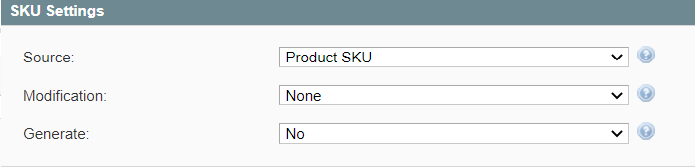
If Item SKU already exists in your Walmart inventory, you can enable the SKU modification option.
Please select a way of SKU modification:
- Prefix - specified value will be added at the beginning of the initial SKU value.
- Postfix -specified value will be added at the end of the initial SKU value.
- Template - a new SKU value will be generated based on the entered pattern. For example, if the initial product SKU is 123 and your modification template is %value%-567, Walmart Item SKU will be 123-567.
M2E Pro can generate a random SKU value for your Channel Item if you enable the Generate option.
Product Identifiers #
Specify the Product Identifier (UPC, EAN, GTIN, ISBN) you want to assign to the products or use the Product ID Override option.

Product ID Override #
In case your products do not have Product Identifiers (e.g., hand-made products), you can use Product ID Override.
- None – all products will be listed with the standard Product IDs.
- All products – Product ID exemption will be applied to all products.
- Specific products – Product ID exemption will be applied to products that have a value “CUSTOM” in the Product ID attribute.
⚠️ Before you set Product ID exemption in M2E Pro, you must apply for it on Walmart first.
Advanced #
Select how to upload images to Walmart:
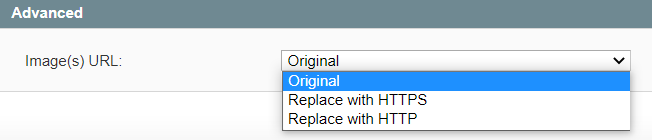
- Original – images will be uploaded based on the Magento settings.
- Replace with HTTP – images will be uploaded using HTTP protocol.
- Replace with HTTPS – images will be uploaded using HTTPS protocol.
⚠️ You must specify at least one valid and approved Product ID, i.e. GTIN, UPC, EAN, or ISBN. Otherwise, Walmart will not permit to place your offer on its website.


