Table of Contents
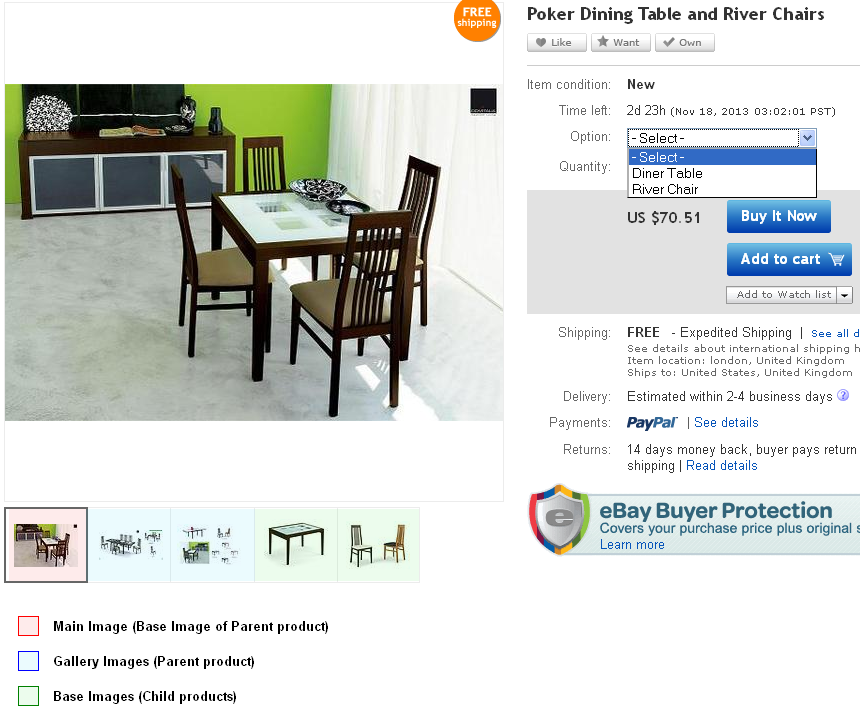
✅ For Grouped Products, images are taken from the main (Parent) and associated (Child) Products.
Description Settings #
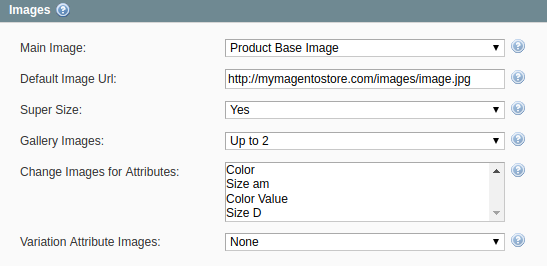
- Main Image – an image that the potential buyers will see on your eBay Item page and next to the Item title in search results.
- Default Image Url – allows specifying the absolute URL to the default Item image, e.g. http://mymagentostore.com/images/defaultimage.jpg. If the Main Image is not provided for the Item, this image will be used instead. This will help to comply with eBay requirements.
- Super Size – allows displaying larger, more detailed pictures (up to 800w x 800h pixels - 800 pixels on the longest side) if enabled. This feature may come with an additional fee.
- Gallery Images – allows adding up to 11 extra photos for each Item. The gallery images will be displayed as the small thumbnails under the Base Image on the eBay Item page.
- Change Images for Attributes (only for Configurable Products) – allows selecting the option by which the Item images should be switched on eBay.
- Variation Attribute Images (only for Configurable and Grouped Products)- allows adding up to 12 images for each variation of Variational Item.
Grouped Product Settings #
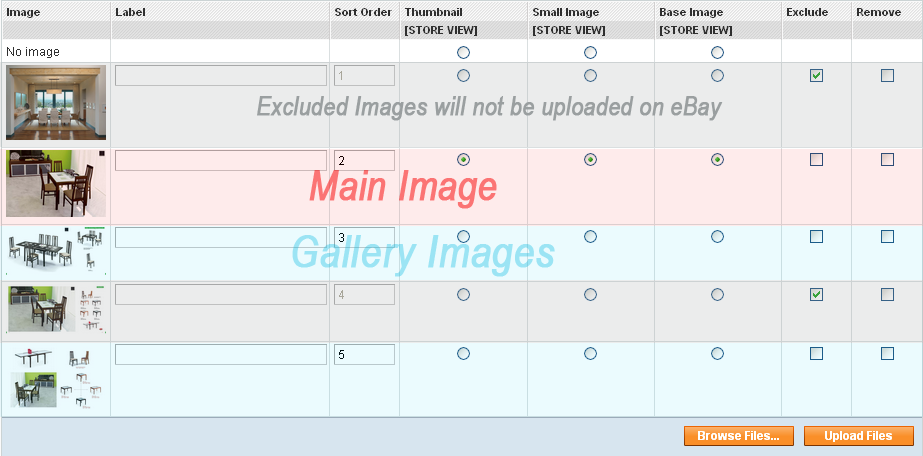
Main (Parent) Product images #
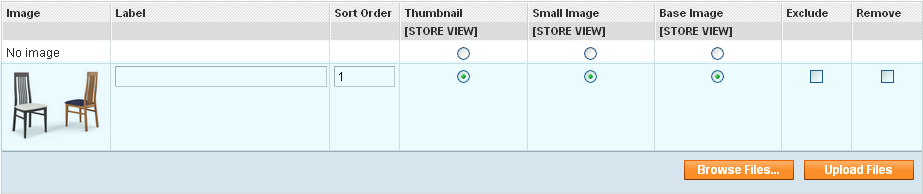
The image below shows how M2E Pro will upload Product images according to the settings above.
Associated (Child) Products #
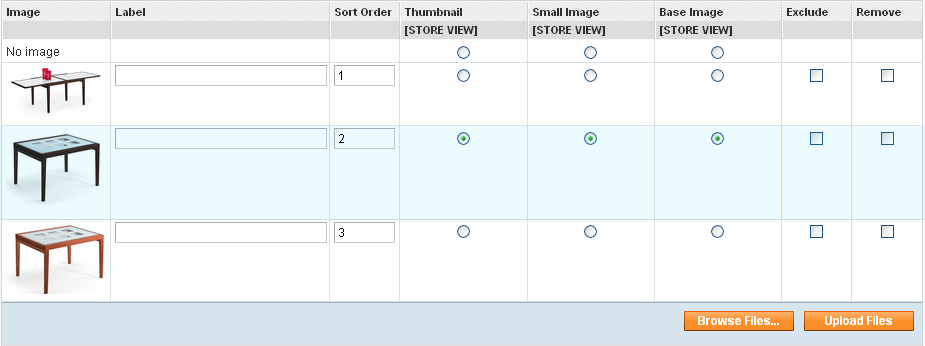
From Associated (Child) Product images marked as Base Image will be uploaded (highlighted in blue).
Product 1
Product 2
Images on eBay #