
ℹ️ What’s new
In this version, we’ve introduced important changes related to Walmart’s new Item Spec 5.0. Walmart listings are now managed by Product Type rather than at the category level, as it was before.
Read on for detailed information.
✅ To upgrade to version 6.69.0, you can use one of the following methods:
- via Composer
- via M2E Pro Updater
- from Source Code Archive
Walmart Integration #
New Product Type management #
This M2E Pro version introduces significant changes to support Walmart’s new Item Spec 5.0. Listings will now be managed based on Product Type instead of categories.
⚠️ To keep your Walmart listings aligned with the updated requirements, it is crucial to assign a Product Type to each product by October 31, 2024. Without the Product Type information, you cannot list and update your products on Walmart.
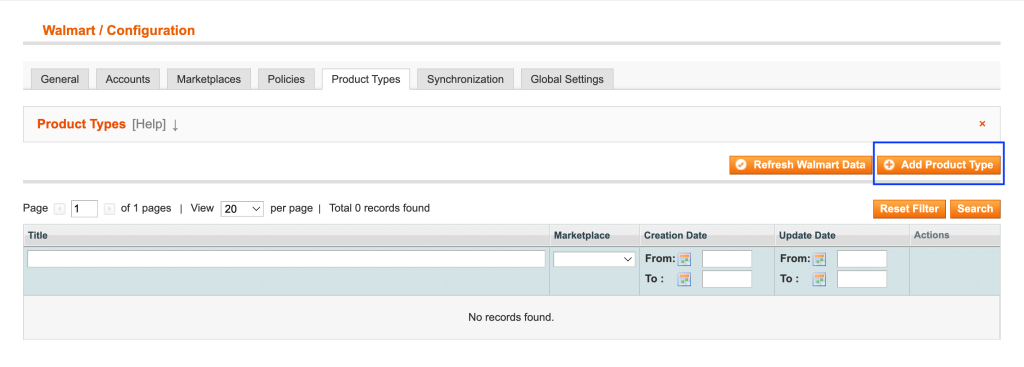
To set up a Product Type for your listings, navigate to Walmart > Configuration > Product Types.
Click Add Product Type, select your Marketplace, and assign the most suitable Attributes to describe your product. Find the detailed instructions in our guide.
Later, you can assign the Product Type to your Walmart listings in the most convenient way: manually or automatically, using Auto Add/Remove Rules.
⚠️ If you previously configured any Auto Add/Remove Rules for your M2E Pro Listings, they will no longer be available after the migration to the new Walmart Item Spec 5.0. You will need to create new Rules to replace the old ones.
Technical changelog #
- eBay: [Improved] Account Site improvements [#6500]
- Walmart: [Added] Product Types management [#6573]


