If you want to manage your Channel orders in M2E Pro, simply enable the Create Order in Magento option under eBay > Configuration > Accounts > Orders. Then, Magento orders will be created for ones imported from eBay.
In the Orders section, you can also select the condition for eBay orders to be automatically created in Magento. Depending on your selling strategy, a Magento order will be created when:
- Checkout is completed — the buyer placed the order on eBay.
- Payment is received — the buyer placed the order and made a payment on eBay.
ℹ️ Find more details about eBay order management in this article.
From time to time, customers can reconsider their purchase and ask for a refund. With the Cancel/Refund eBay orders option enabled under eBay > Configuration > Accounts > Orders, you can process your cancelation and refund requests from your Magento.
ℹ️ Check out this article to learn about the updated eBay order statuses.
Cancelation #
Unpaid eBay orders are displayed as Pending in the M2E Pro order grid (eBay > Sales). You can cancel a Pending eBay order by clicking Cancel in the corresponding Magento order. M2E Pro will submit the information about cancelation to eBay and sync the order status accordingly.
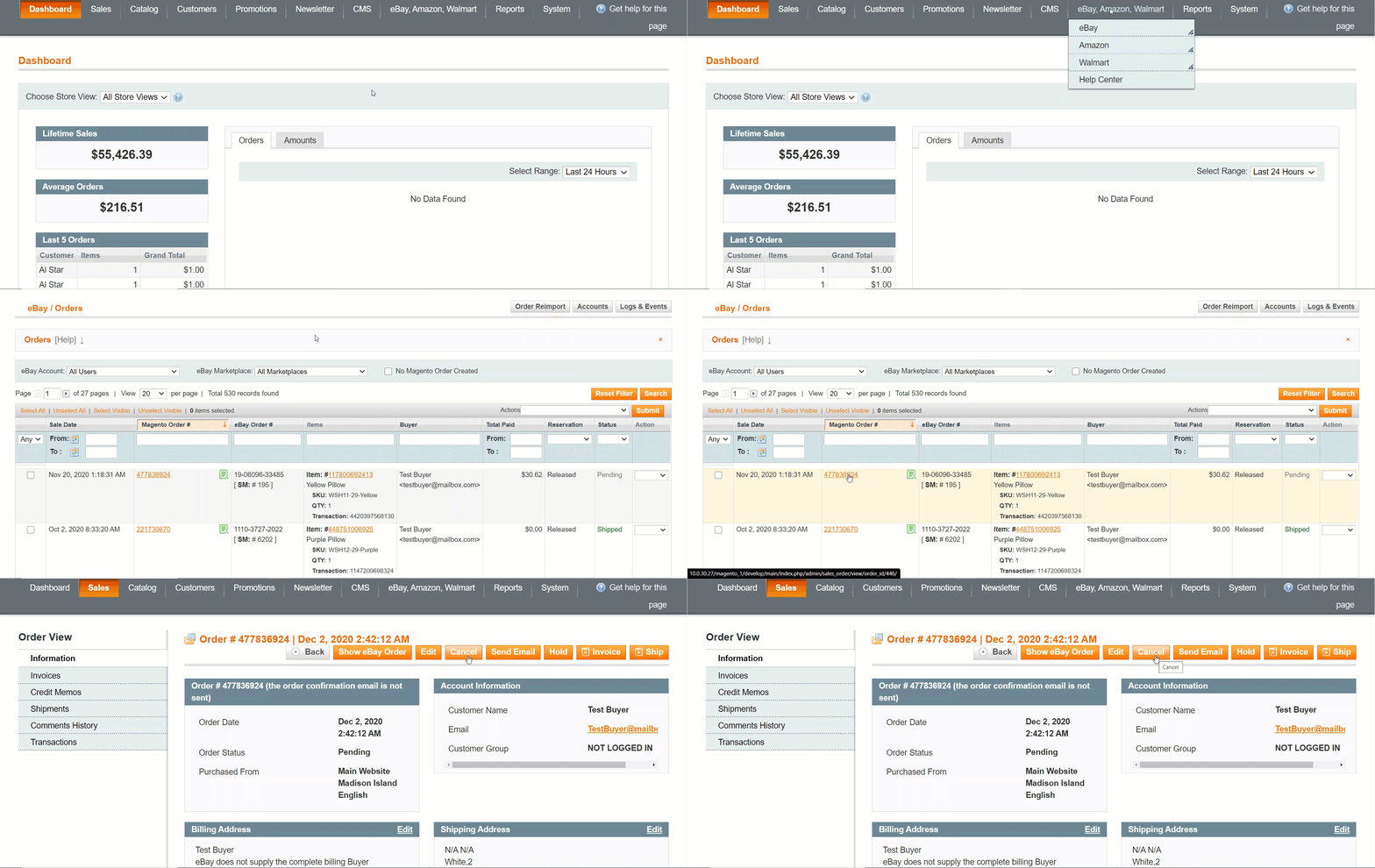
✅ Please remember that eBay allows canceling orders up to 30 days after a sale, even if your buyer has already made a payment.
Refund #
Paid eBay orders are displayed as Shipped or Unshipped in the M2E Pro order grid (eBay > Sales). You can issue a full refund for such orders by creating a Credit Memo in the related Magento order. The order will be canceled and the status update will be submitted to Channel.
✅ When you issue a refund for the order on eBay, the Credit Memo is not created for the related Magento order automatically. You need to do it manually in your Magento.