
A Bundle Product consists of a number of Simple Products and allows you to build your own, customizable product. When purchasing a Bundle Product, customers are supposed to select a certain combination of Simple Products united by an Option. For example, this may be the color of the bag and the size of the strap that comes with it.
Let’s take a look at the example of such a Product and how its variations are displayed:
- In Magento Inventory settings

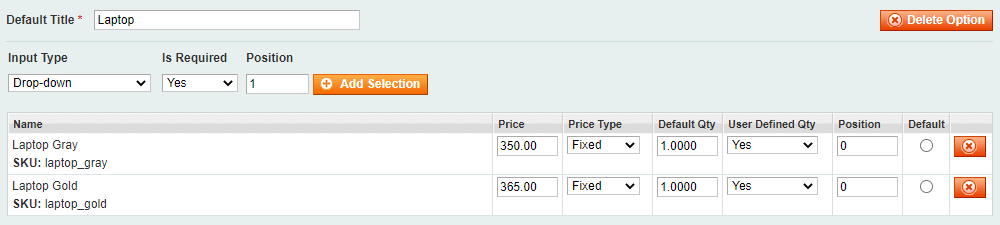
⚠️ M2E Pro works only with Bundle options marked as Required.
- In the list of Magento Products, where ID 937 is a Parent Product, and the rest are Child Products

- In the M2E Pro Listing

✅ M2E Pro allows you to provide eBay Catalog Identifiers for each variation of your Bundle Product. You can do it via the Manage Variations option within the Listing.
- on eBay
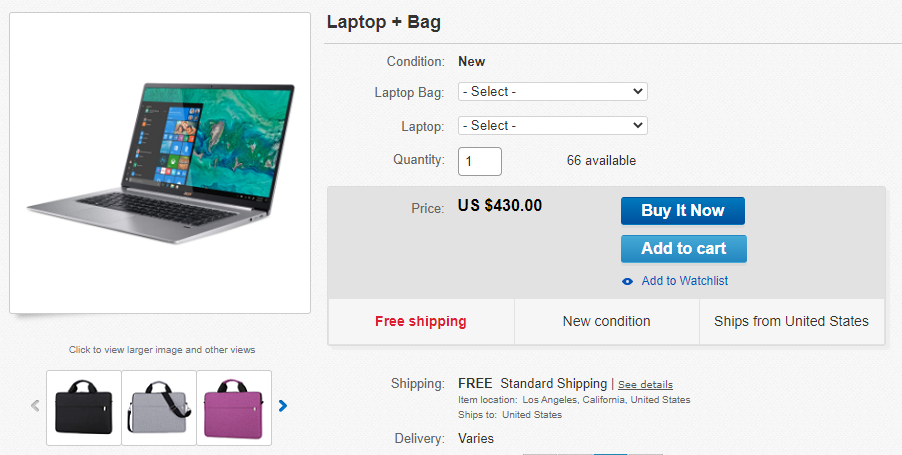
⚠️ eBay only displays 30 of the 55 characters allowed in the drop-down field for Multi-Variation listings. So make sure to keep the titles of your Product variations short.
Find out how to calculate price and quantity for your Bundle Product in these articles:
Bundle Product Listed as Simple #
If the Ignore Variations option is enabled in Selling Policy, a Bundle Product will be listed as a Simple one, without variations.
In this case, the price of the cheapest Variation and the quantity of the smallest Option will be submitted to eBay.


