
Sometimes you may need to fulfill your orders partially so that some purchased items are shipped individually under a particular tracking number.
If you ship an order partially, you need to have a shipment created per each tracking number in your Magento.
⚠️ Please mind that by adding several tracking numbers into a single shipment, only the last one on the list will be sent to a buyer.
Let’s see an example of a Magento order containing 3 purchased items.

To ship the order partially:
- Click Ship in the top-right corner.
- Enter the necessary quantity into the QTY to Ship field.
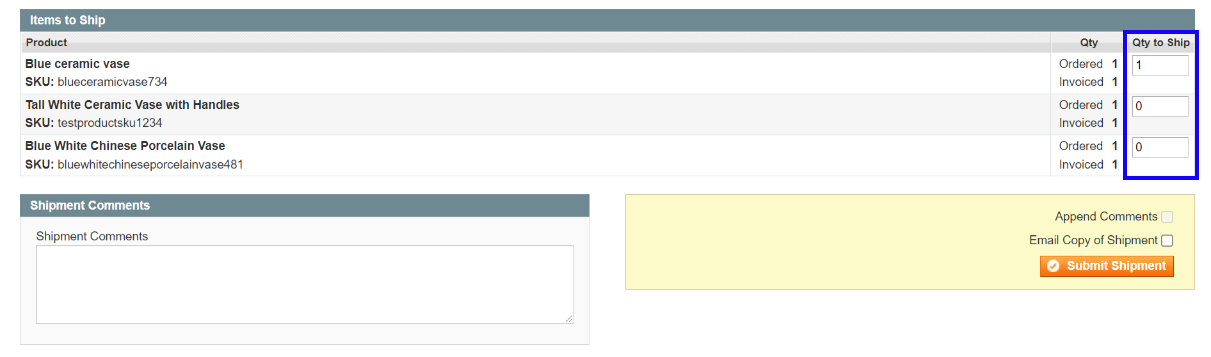
✅ By default, the QTY to Ship is prefilled with the full order quantity. You can reduce this amount but not increase it.
If you’ve already shipped the order partially, you'll see the number of items remaining to be fulfilled.
3) Click Submit Shipment.
The created shipments are now shown in the Shipments section.

In order to add the tracking numbers to them:
- Choose the necessary shipment.
- Select the carrier and add the tracking number to the Shipping and Tracking Information.
- Click Send Tracking Information in the top-right corner.

Once done, the specified tracking numbers will be synchronized to eBay and reflected in the eBay Order details.


