
Location #
As a rule, information about country, city, state, and zip/postal code is pre-filled based on your Magento settings. Still, you can change it if necessary. Also, you can set the appropriate Magento attributes as Location values.

Domestic and International shipping #
In M2E Pro, you can consider setting up the following shipping types for your items:
- Flat: same cost to all buyers allows charging your customers a single shipping rate.
- Calculated: cost varies by buyer's location allows charging a shipping rate based on the package`s weight and dimensions, buyer's location. It is supported on the US, CA (English and French), and AU sites.
- Freight: large items allows shipping items heavier than 150 lbs. It is supported on the US, CA (English and French), AU, and GB sites.
- No shipping: local pickup only indicates that you do not ship products so your buyers should arrange a pickup.
⚠️ Please remember that Freight and No shipping options are available for Domestic shipping only.
It is required to add at least one shipping method if you select Flat or Calculated shipping type. For this, click Add Shipping Method and specify its Cost using the suitable Mode.
In the Additional Cost field, you can specify a fixed amount for each additional item purchased in case your item quantity is more than 1. For example, the shipping cost for the item you sell is $5. You can add $2 to the total shipping cost if the same buyer purchases multiple quantities of the same line item. Specifying Additional Cost is optional.

✅ You can add the unlimited number of Shipping Services by clicking Add Method.
If you are going to list your Product on the Marketplaces with different Base Currency and the Shipping Cost value is set to be taken from Magento Attribute with Price input type, you can enable the automatic Currency conversion.
If your Flat Rate shipping is based on weight, set eBay Shipping Rate Tables to 'Yes' so that you can indicate the required Package Details.
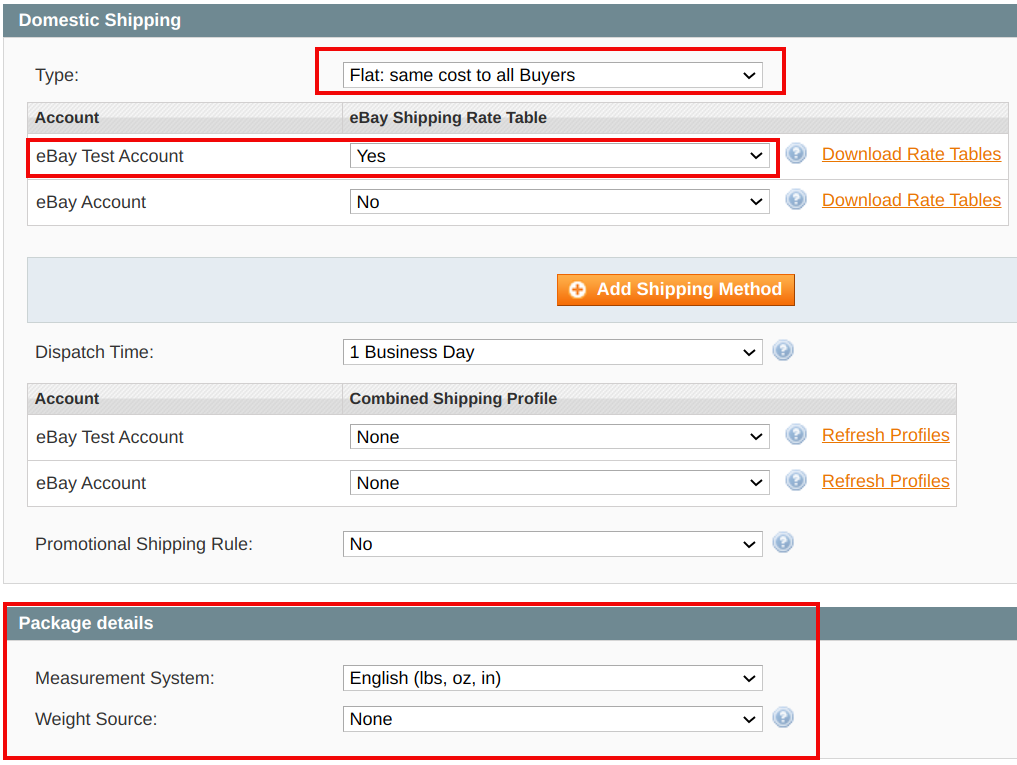
M2E Pro allows specifying Package Type, Dimensions, and Weight for all shipping types except for Freight and Local pickup options. This means you can provide the required Package details in the eBay Shipping Policy whenever you use Flat or Calculated shipping types.
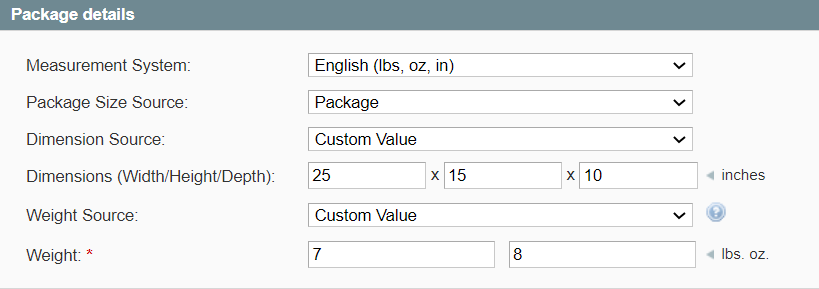
If you use Magento Attribute to define the package size for a Product, the values need to be:
| Label | Value |
|---|---|
| Letter | Letter |
| Large Envelope | Large Envelope |
| Package | PackageThickEnvelope |
| Large Package | USPSLargePack |
As a Weight Source, you can either select Custom Value and enter the weight manually or use Magento Attribute.
✅ To define the Calculated shipping weight via Magento Attribute, apply decimal values (e.g. for 1lb 12oz, use the value 1.75).
⚠️ Due to eBay API specifications, you cannot indicate the weight for each Child Item of your Configurable Product. eBay provides only one Weight field per product, regardless of the number of Child Items.
In this case, you should set an average weight value for your Configurable Product, which will be used to calculate the Shipping Price based on weight.
Other Shipping Settings #
eBay Shipping Rate Tables #
Use the eBay Shipping Rate Tables tool to configure shipping costs based on the destination, level of service, or package weight.
⚠️ The Rate Tables are required if you participate in the eBay Guaranteed Delivery program with the Door-to-door option selected
In order to use the eBay Shipping Rate Tables tool in M2E Pro, follow the next steps:
ℹ️ Shipping Rate Tables are available on the following eBay sites:
- Domestic: US, AU, UK, DE, CA (English and French), IT, FR, ES, and Motors.
- International: US, UK, DE, CA (English and French), IT, FR, ES.
1) Make sure that you have set up the Rate Tables in your eBay Seller Center.
2) In M2E Pro, set the eBay Shipping Rate Table option to 'Yes'. Do it for each account you need.
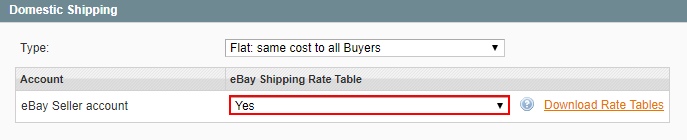
3) Download your Rate Tables per each account separately. To download eBay Shipping Rate tables, a Sell API is required.
How to download eBay Shipping Rate Tables to M2E Pro #
Please proceed with the following steps:
1) Navigate to eBay > Configuration > Policies > Shipping Policy > Domestic Shipping.
2) Select Flat: same cost to all Buyers option, then click Download Rate Tables.

3) To download the Shipping Rate Tables, you should grant M2E Pro access to your eBay data. If you consent, click Confirm in the opened pop-up. You will be redirected to the M2E Pro eBay Account page.
4) Under the Access Details section, click Get Token.
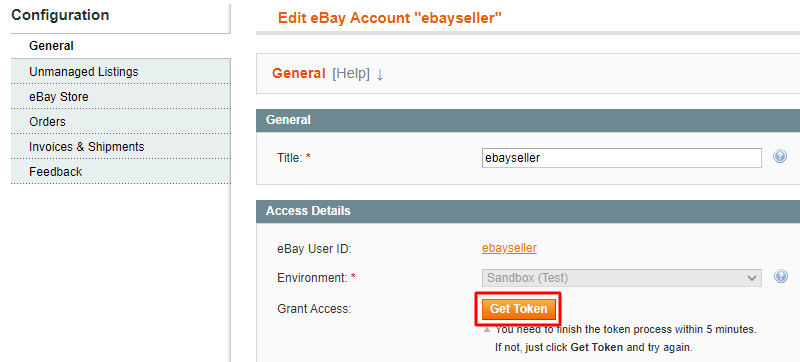
5) You will be redirected to the eBay site. Sign in to your eBay Account and confirm you agree to share your eBay data with M2E Pro.
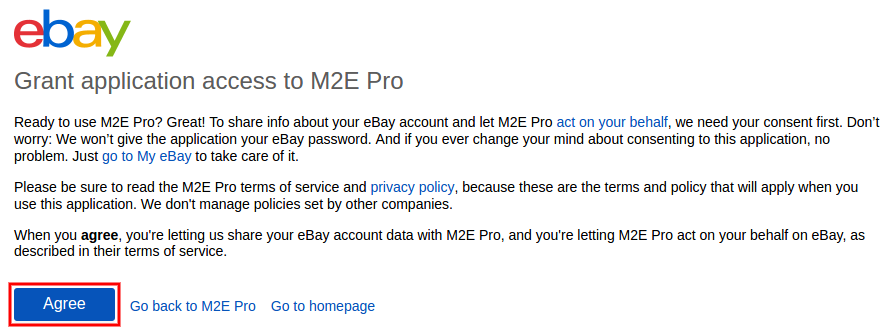
6) You will return to M2E Pro. Once the authorization token is activated, save Account configurations to apply changes.

After an eBay token is obtained, eBay Rate Tables will be downloaded to M2E Pro Shipping Policy automatically. Select an appropriate rate table to associate with your Items.
⚠️ You need to repeat the procedure above for each eBay Account separately.
Dispatch Time #
Indicates how long it takes to ship the order to the buyer. eBay may use your Dispatch Time delivery terms to provide buyers with an estimated delivery time.
⚠️ Dispatch Time option is available only for Domestic Shipping.
Handling Cost #
A fee for the order processing (e.g. some extra cost for the product packaging). This fee will be included in the overall shipping cost.
⚠️ Due to eBay requirements, the Handling Cost value cannot be set via Custom Attribute.
Combined Shipping Profile #
You can use the Combined Shipping Profile to offer discounts for customers who buy multiple items from you. Combined Shipping Profile can be set up on eBay for both Flat and Calculated shipping. Click Refresh Profiles to get your latest shipping profiles from the Channel.
✅ For more details, please check this eBay article.
Promotional Shipping Rules #
Promotional Shipping Rules are created on eBay to offer buyers special discounts when they buy multiple items or spend a certain amount with you. You can also specify the maximum shipping amount for a single order.
✅ For more details, please check this eBay article.
Global Shipping Program #
Simplifies purchasing products from US and UK sellers for customers outside these countries. It also allows shipping items to several other countries without any additional actions from the seller’s side. Global Shipping Program option is set in eBay Seller Center.
✅ For now, the Global Shipping Program is available for eBay Motors, eBay US and UK only. Please check out eBay.com and eBay.co.uk articles for more details.
Cross-Border Trade (International Site Visibility) #
A paid listing upgrade that allows qualifying Listings to be posted on international marketplaces. Buyers on these marketplaces will see the Listings exactly as you originally post them.
| eBay Site | Visibility |
|---|---|
| USA | eBay UK - ebay.co.uk |
| UK | eBay USA/Canada - ebay.com, ebay.ca |
Excluded Locations #
Allows specifying locations that you will not ship to.


